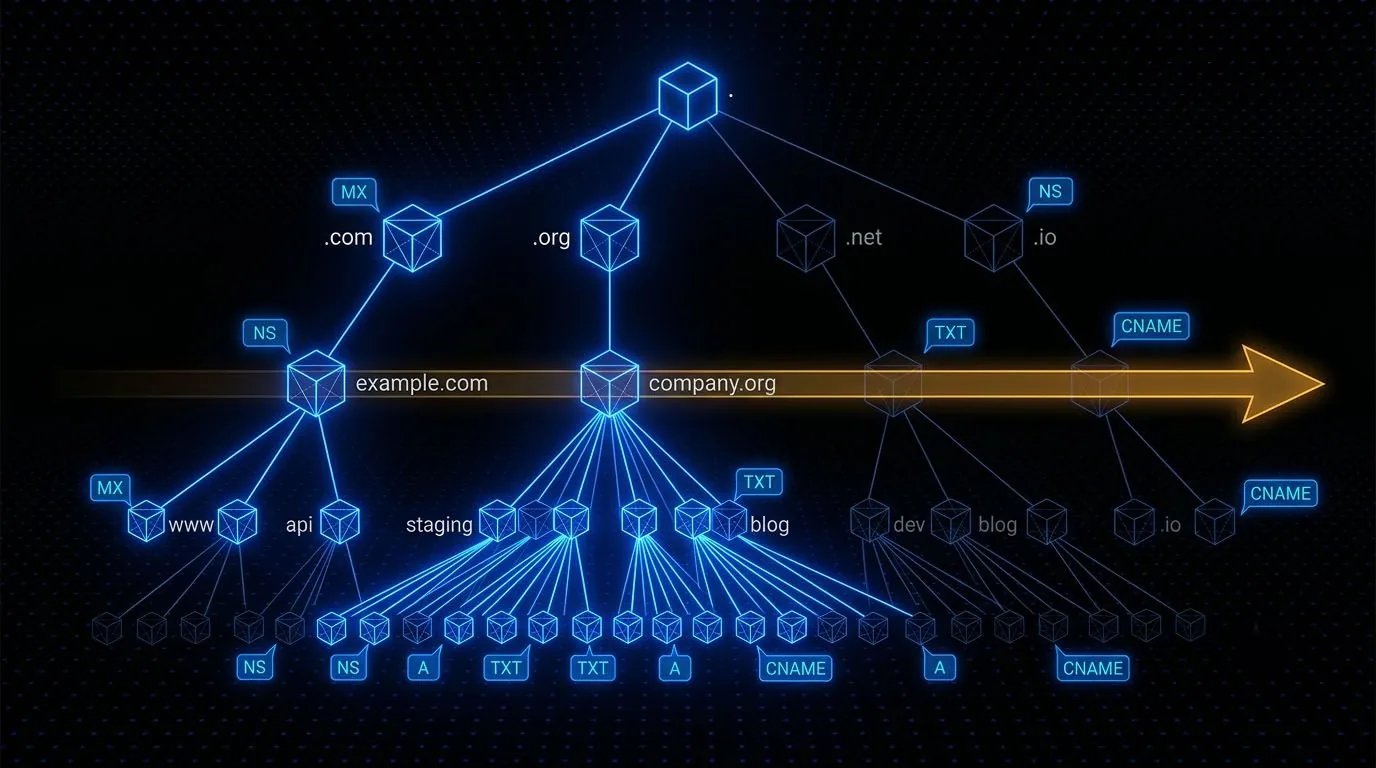
DNS Structure
DNS is a hierarchical, distributed database that maps names to addresses. Understanding how it works is essential before you can enumerate it effectively. The resolution chain goes: client asks recursive resolver, resolver asks root nameserver, root refers to TLD nameserver, TLD refers to authoritative nameserver, authoritative nameserver returns the answer. Understanding this chain tells you what questions to ask at each level.
The zone is the administrative unit. A zone file contains all the DNS records for a domain under a particular nameserver's control. Zone transfers (AXFR) are the mechanism nameservers use to synchronise these zone files between each other. When a nameserver is misconfigured to allow AXFR from any source, you get the entire zone dumped to you in one query.
dig A target.com @8.8.8.8
dig MX target.com
dig NS target.com
dig TXT target.com
dig CNAME subdomain.target.com
dig axfr target.com @ns1.target.com
Record Types and What They Reveal
Each record type tells you something different. A records give you IP addresses. MX records reveal mail servers, which are often older, less-patched infrastructure. TXT records frequently contain SPF configurations, DKIM keys, and sometimes accidentally included sensitive information like verification tokens. CNAME chains can reveal third-party services in use. SOA records reveal the primary nameserver and zone contact. PTR records (reverse DNS) can reveal internal hostnames that would otherwise be invisible from external scans.
TXT Record Recon
SPF records in TXT fields often reveal all the IP ranges and third-party services authorised to send email on behalf of the domain. This is an accidental map of the organisation's cloud infrastructure and email delivery services, all public, all intentionally published.
Building a Python DNS Tool
I spent a week building a DNS recon script from scratch with Python's dnspython library. Honestly, I learned more about how DNS actually works in that week than I had from months of using pre-built tools. When you write the socket code yourself, you understand what "recursive resolution" actually means in terms of packets.
The script I ended up with does three things: queries every major record type for a given domain, attempts a zone transfer against each nameserver, and brute-forces subdomains against a wordlist. The brute-force component checks A records for each potential subdomain. If an A record exists, the subdomain is valid. You can parallelize the queries with threading to make this practical even against large wordlists.
import dns.resolver

resolver = dns.resolver.Resolver()
resolver.nameservers = ['8.8.8.8']

for record_type in ['A', 'MX', 'NS', 'TXT', 'CNAME', 'SOA']:
    try:
        answers = resolver.resolve('target.com', record_type)
        for rdata in answers:
            print(f'{record_type}: {rdata}')
    except:
        pass
The key insight from building it yourself: pre-built tools hide their assumptions. When you write it, you know exactly what it queries, in what order, with what timeout, and how it handles edge cases. On an engagement where you need precise control over what DNS traffic you're generating, that understanding matters.
Subdomain Enumeration
Subdomains are often where the interesting stuff lives. Development environments, staging servers, admin panels, internal tools exposed to the internet. Brute-forcing is one approach, systematically trying common subdomain names against the DNS resolver. Certificate transparency logs are another: certificates are publicly logged and searchable, and every certificate ever issued for a domain is visible. This often uncovers subdomains that don't show up in brute-force lists.
dnsenum --dnsserver ns1.target.com --enum -p 0 -s 0 -f subdomains.txt target.com

for sub in $(cat subs.txt); do
  host $sub.target.com 2>/dev/null | grep "has address"
done
See It Exploited
-
Demon arrow_forward
Jenkins Groovy console RCE discovered via vhost enumeration, then an rbash escape
-
Earth arrow_forward
vhost enum and an XOR-decoded admin password behind a command-injection foothold